
Requests and incidents
Guided intake, ownership, priority, comments, status and history.
Microsoft 365-native service management
Orbit brings requests, incidents, approvals, assets, lifecycle work and knowledge into one calm, configurable portal—without asking your organisation to adopt another system of record.
Built on Microsoft 365. Delivered on Cloudflare.
The demo runs as Vertex Group, a fictional organisation, with fictional data.
Designed and maintained by RME Solutions TechnologyMicrosoft Partner

A useful front door for IT
Orbit is a focused service-management layer for Microsoft 365. It gives employees an approachable place to ask for help and gives the service team structured, auditable work behind the scenes.

Guided intake, ownership, priority, comments, status and history.
Configurable services and forms with documented approval states.
Link service work to assets, onboarding, offboarding and fulfilment.
Reusable guidance, service oversight and evidence-ready records.
Illustrative product view. Features and presentation are configured per deployment.
The demo runs as Vertex Group, a fictional organisation, with fictional data.
Real screens, not mockups
These are current screenshots from the public Orbit demo tenant—the same portal your staff sign into, and the same queue your IT team runs from, shown here with sample data.
A calm home screen, a catalogue built around your services and clear status on every request—so fewer of them become a phone call to IT.
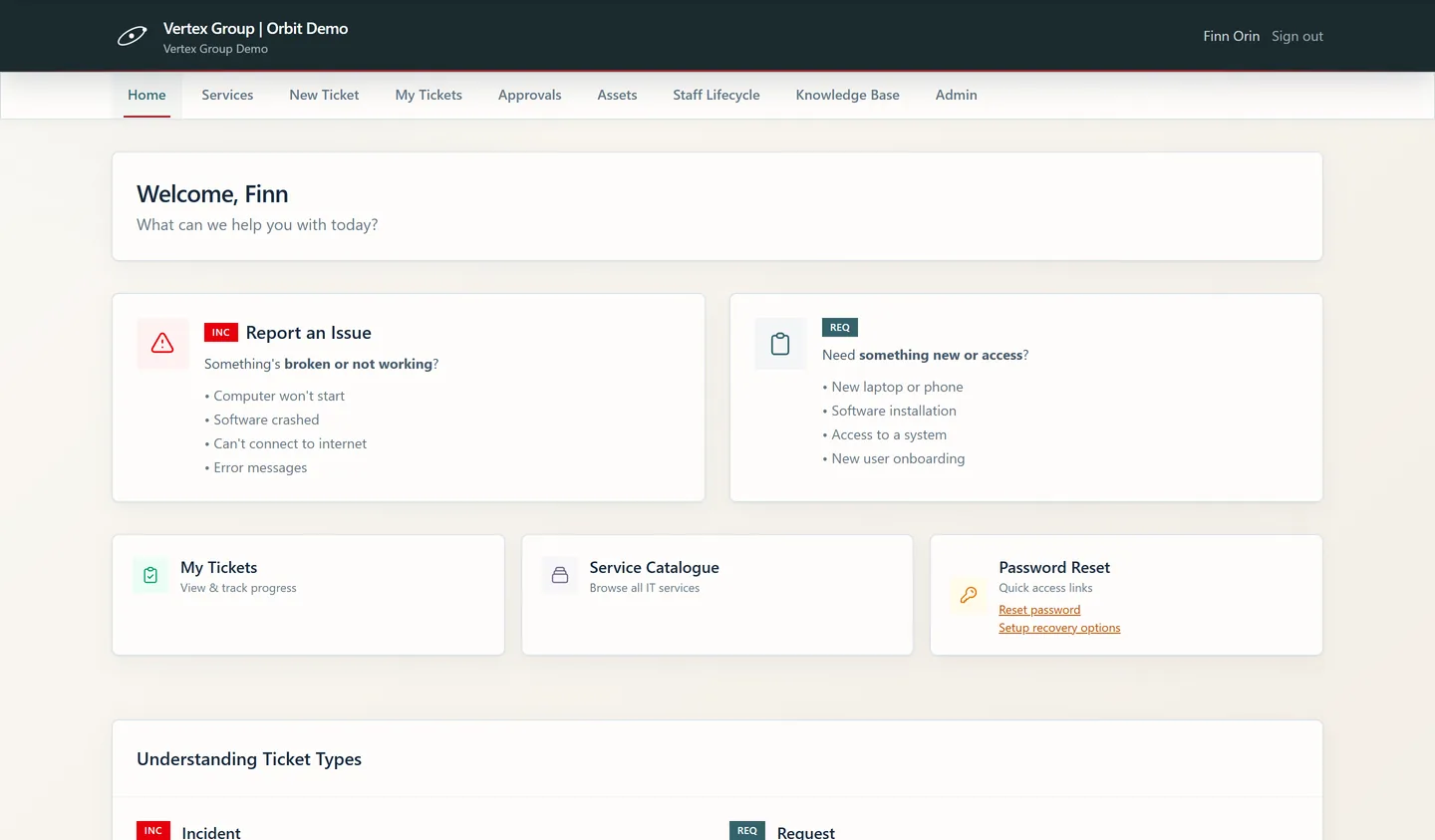
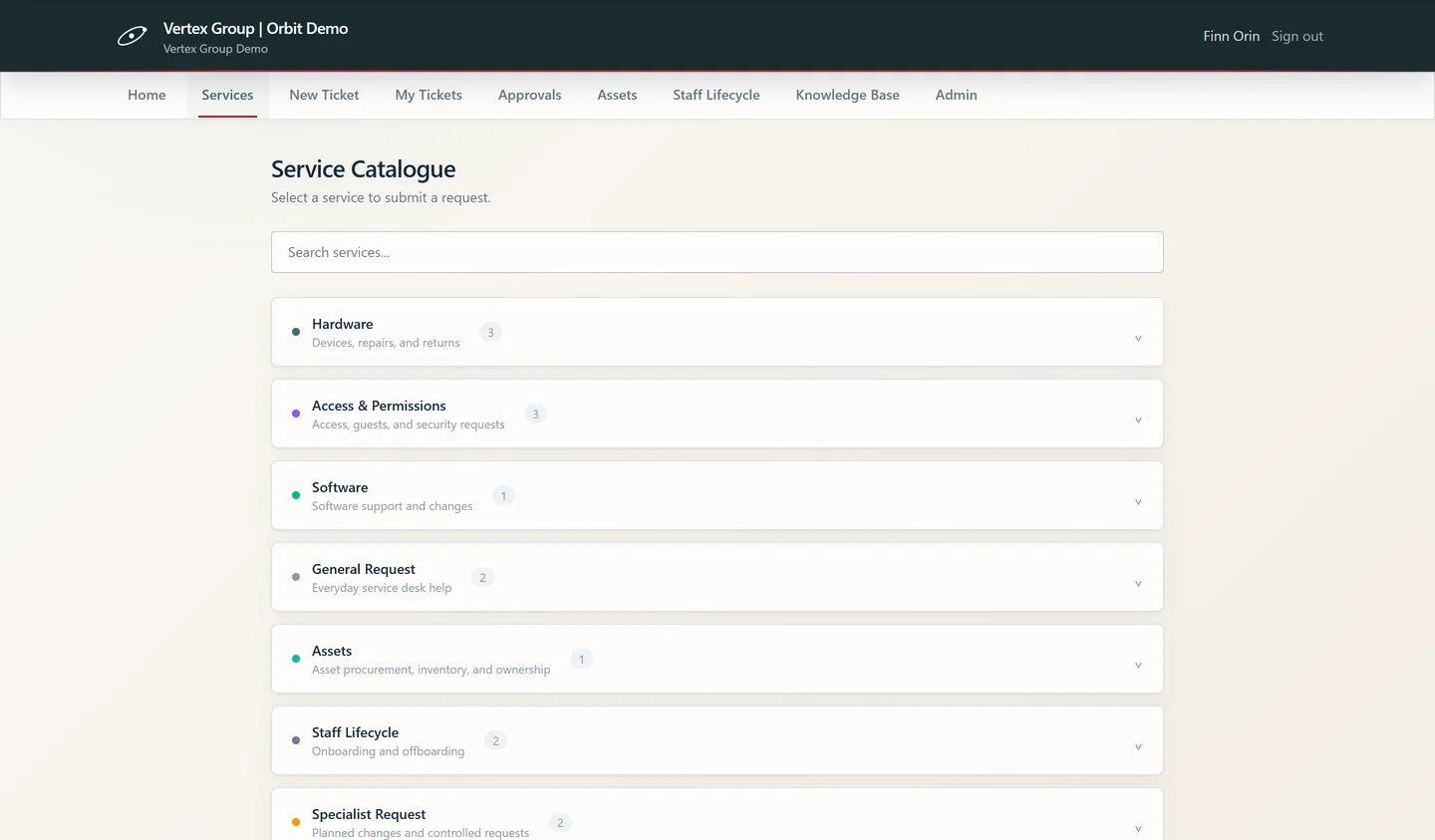
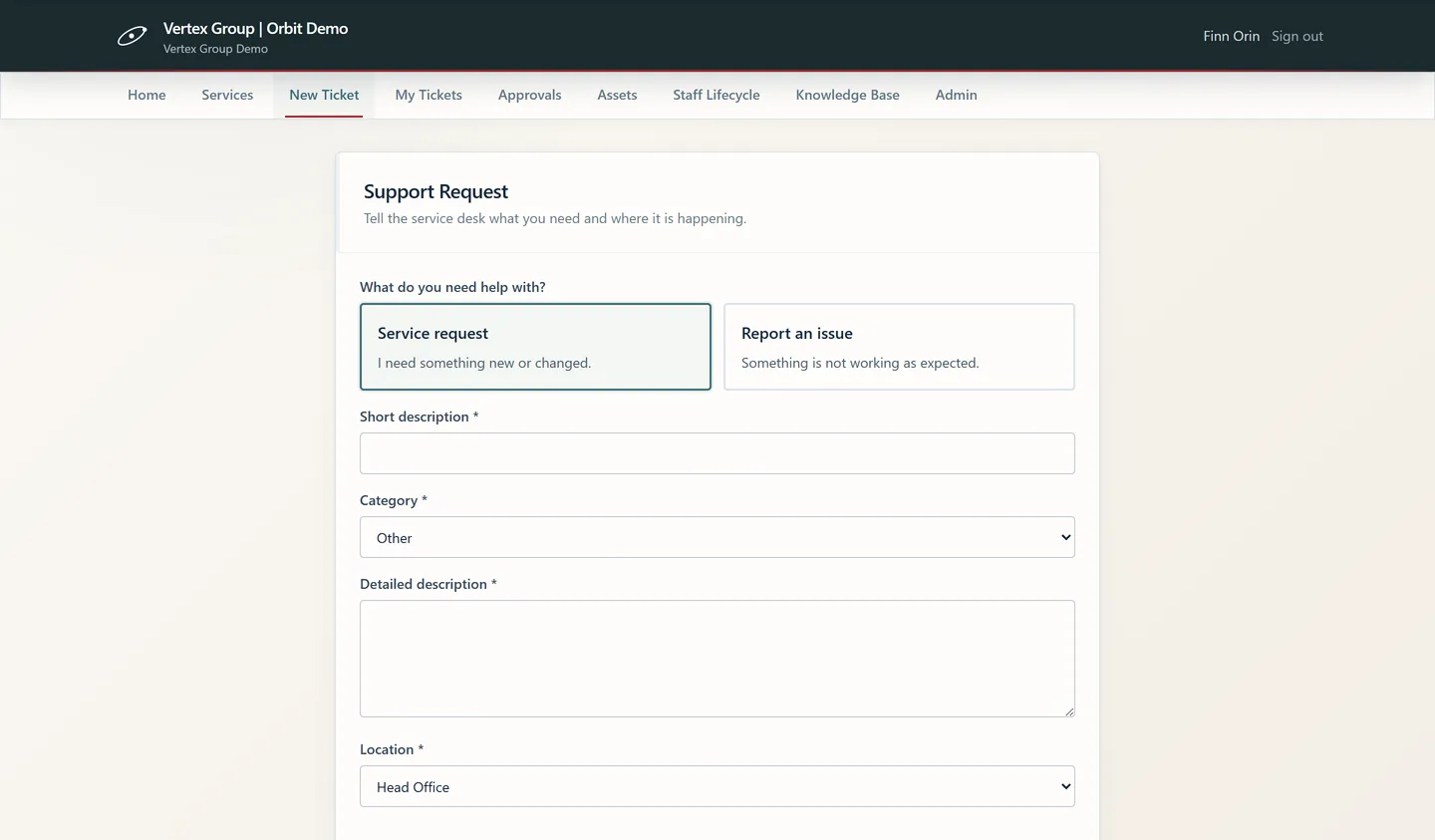
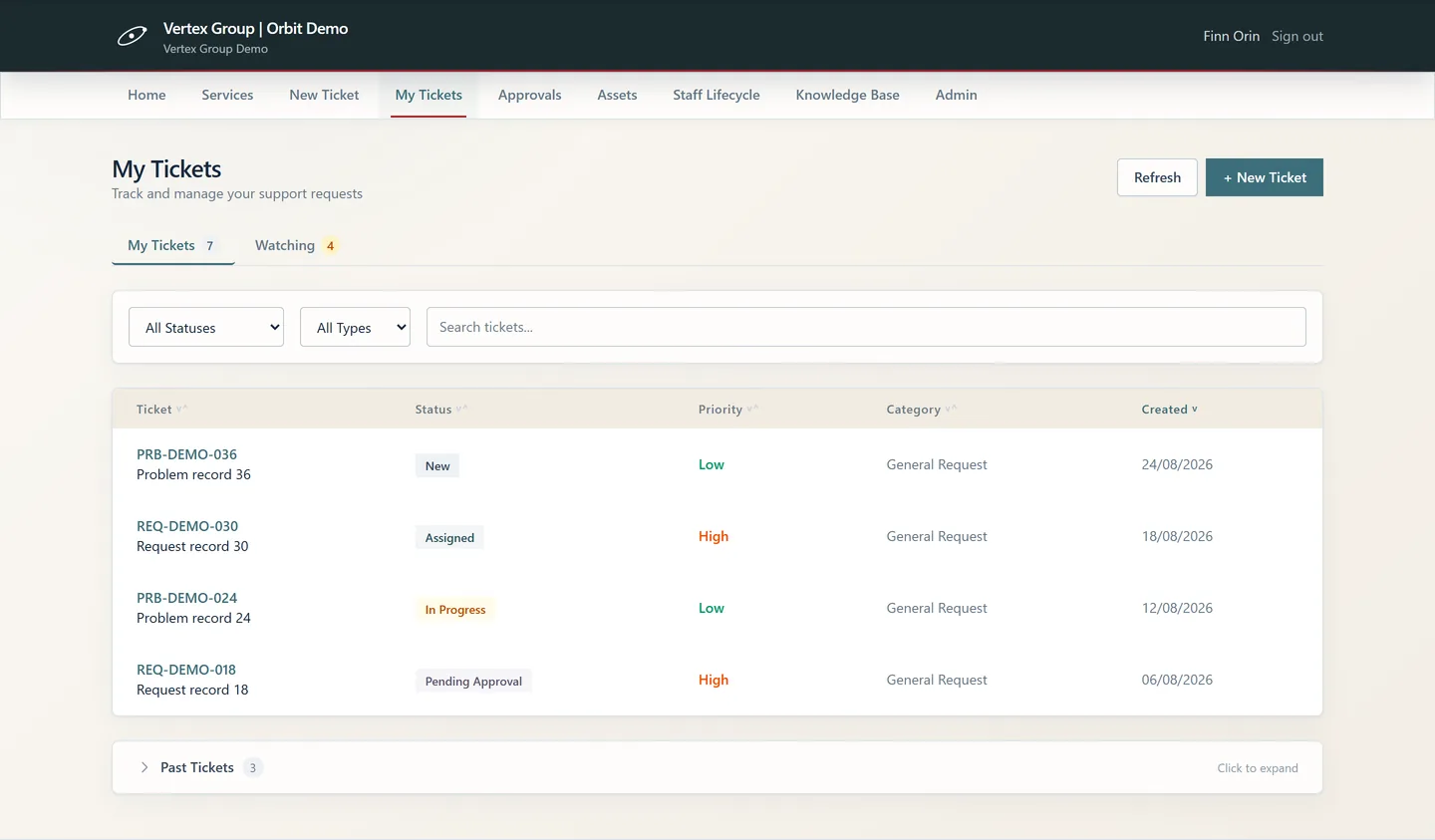
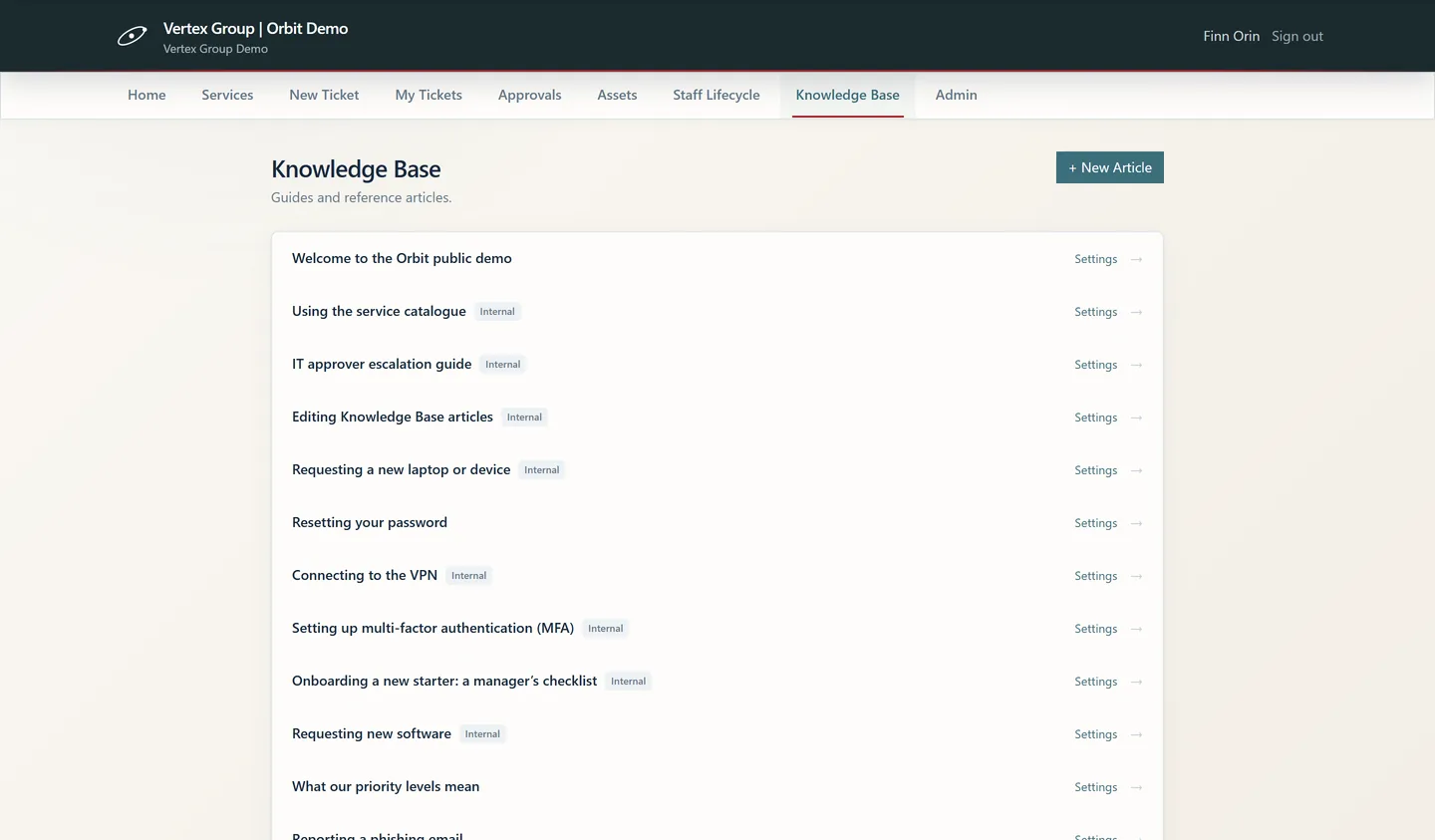
The queue your team actually works from, approvals awaiting a decision, and the asset records tickets refer back to.
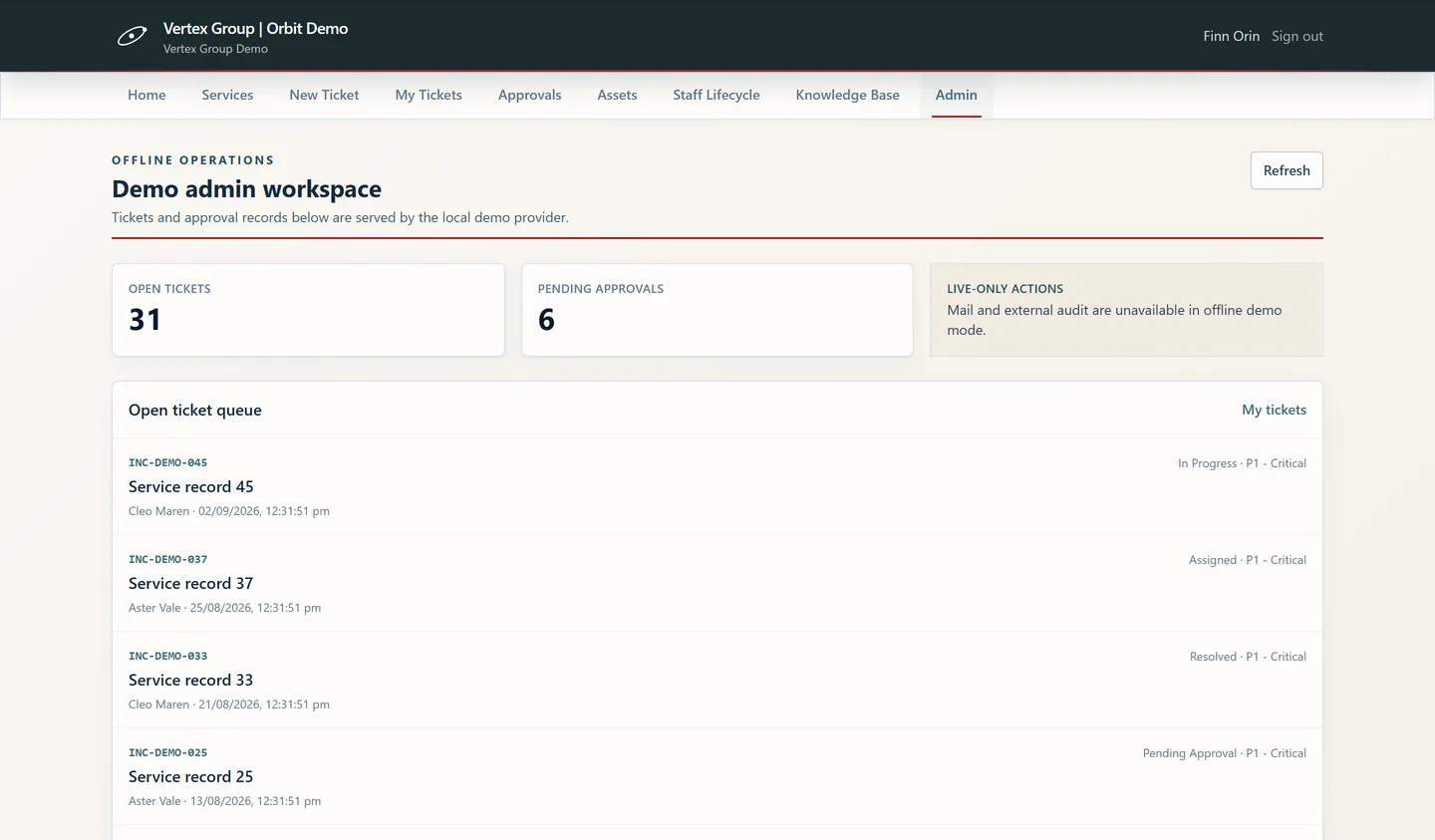
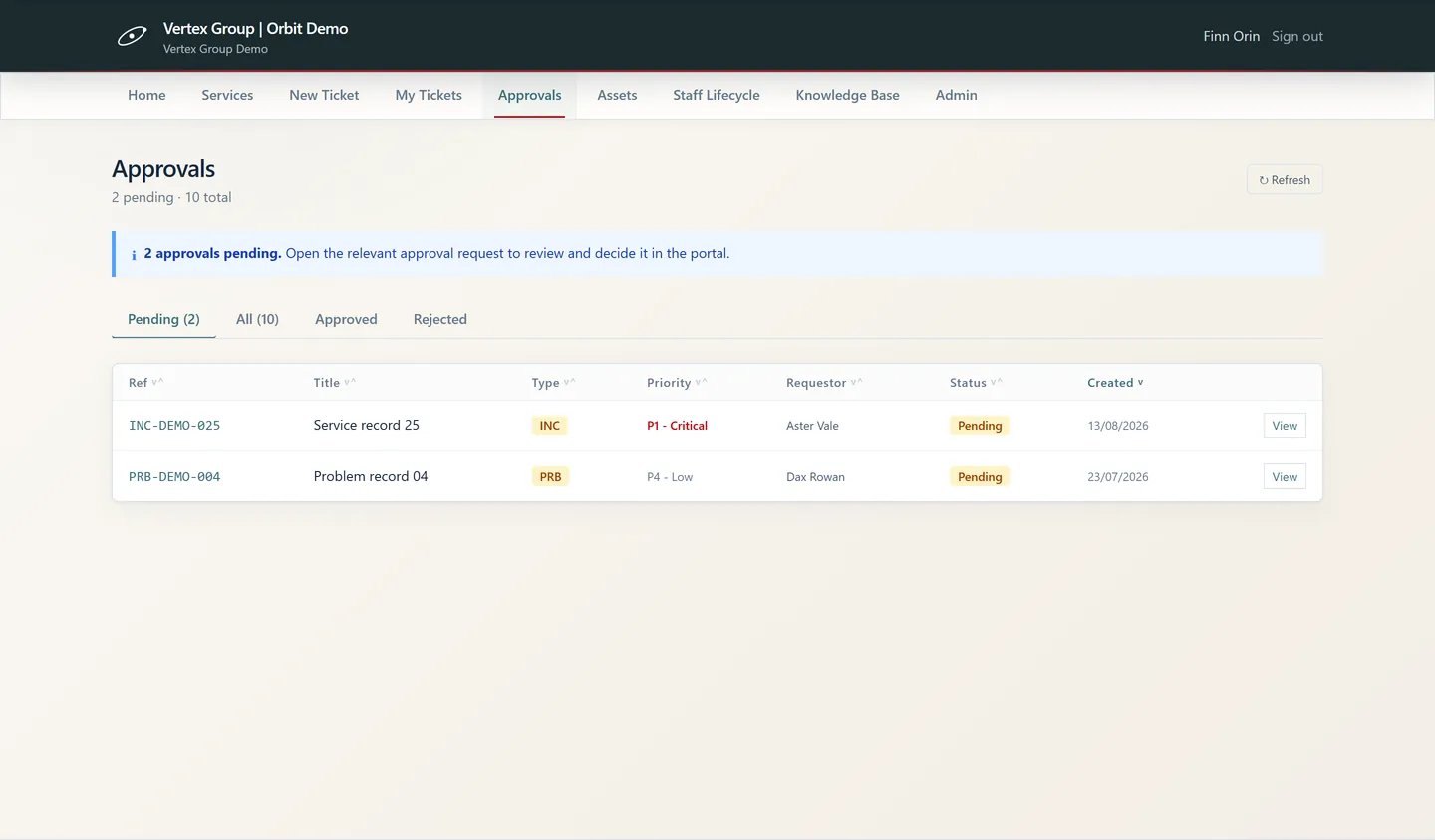
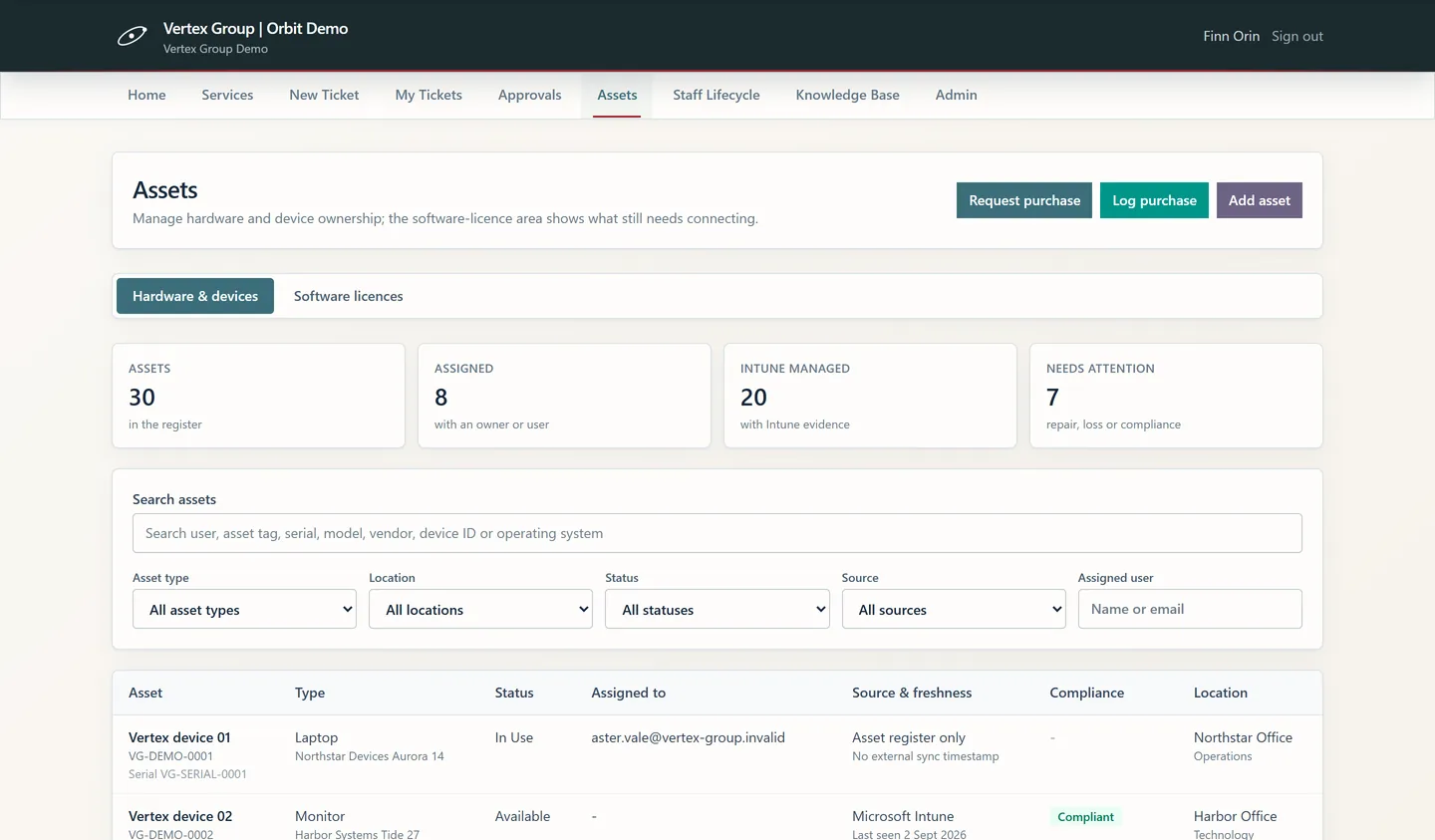
Every screen above is clickable in the live demo—no sign-up. Each screenshot also opens full size in a new tab, which is worth doing on a phone. Explore the live demo
The demo runs as Vertex Group, a fictional organisation, with fictional data.
A legible technical boundary
The standard Orbit deployment is a static React application. People sign in with Microsoft Entra ID; the browser works with Microsoft Graph and SharePoint Online under the signed-in user’s delegated access.
Cloudflare delivers that static application from its global edge: TLS encryption and DDoS protection are included, and there is no application server for your team to run or patch.
Orbit ITSMStatic web applicationGovernance without theatre
Orbit can support controlled service management and information-security evidence. It does not claim to certify a deployment—or replace the controls, ownership and assurance your organisation must operate.
Structured intake, ownership, approvals, knowledge, change and service records support disciplined ways of working.
Documentation maps product capabilities to relevant ISO/IEC 20000-1, 27001 and 27002 practices without making conformity claims.
Public guides are backed by an allowlisted source register that synchronizes metadata and hashes while excluding internal document bodies.
Suitability at a glance
A good product decision includes the awkward questions. These are the starting conditions we would examine before recommending a deployment.
Licensing, plainly stated
Orbit has its own commercial licence. Your organisation also supplies the Microsoft entitlements required by the solution design.
Review the licensing guideMicrosoft licensing, connector classification and tenant policy can change. The intended design and user population must be checked with your Microsoft licensing administrator before production deployment.
Delivery partnerships
 Cloudflare Partner
RME provisions and operates each client’s delivery on Cloudflare—the edge network, TLS and DDoS protection behind every Orbit deployment.
 Microsoft Partner
Orbit is designed for, and deployed into, the Microsoft 365 platform your organisation already runs.
Partner status reflects RME’s membership in each programme—not Microsoft or Cloudflare certification, endorsement or co-sell of Orbit.
For the people who need to know
Explore the architecture, deployment path, security boundary, standards position, Microsoft prerequisites and public source-document register.
The demo runs as Vertex Group, a fictional organisation, with fictional data.